SOAR-EDR Integration: Automating Threat Detection and Response with LimaCharlie and Tines
Introduction
I recently took on a project that felt like piecing together a cybersecurity puzzle, combining LimaCharlie, an Endpoint Detection and Response (EDR) platform, with Tines, a Security Orchestration, Automation, and Response (SOAR) tool. My goal was to build a system that could spot malicious activity—like the LaZagne credential-dumping tool—send alerts through Slack and email, and let users decide whether to isolate a compromised machine. This guide walks you through how I made it happen.
Project Overview 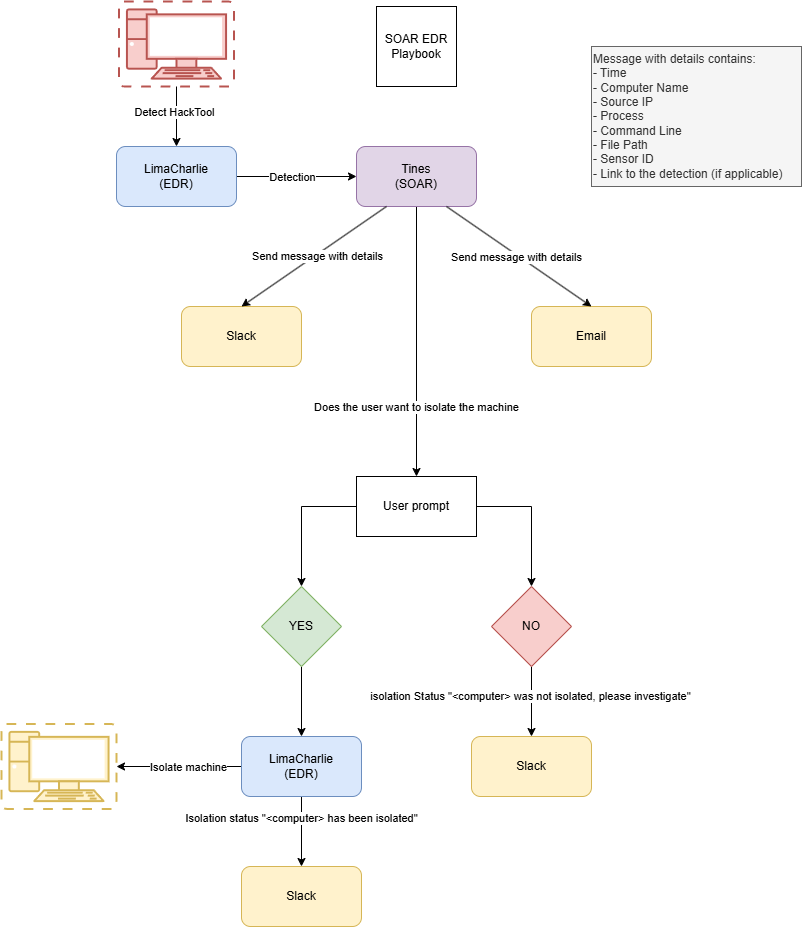
The idea was to create a workflow that detects threats, notifies the right people, and takes action fast. Using LimaCharlie to monitor endpoints and Tines to automate responses, I built a system that catches LaZagne, sends detailed alerts, and prompts users to isolate affected machines. It’s about making cybersecurity smoother and more responsive, without the manual grind.
Tools Used
- LimaCharlie: An EDR platform for real-time endpoint monitoring and response.
- Tines: A SOAR platform that automates security tasks like a pro.
- Slack: For instant alerts and updates.
- Windows VM: A virtual machine to simulate a monitored endpoint.
- LaZagne: A credential-dumping tool to generate test telemetry.
Objectives
I had a clear set of goals:
- Set up LimaCharlie on a Windows VM to monitor activity.
- Create detection rules in LimaCharlie to spot LaZagne execution.
- Build a Tines playbook to:
- Send Slack messages and emails with detection details.
- Prompt users to decide whether to isolate the machine (Yes/No).
- Automatically isolate the machine via LimaCharlie if the user chooses Yes.
- Test the workflow to ensure it runs seamlessly.
The Journey: Step-by-Step Guide
Step 1: Setting Up LimaCharlie and the Windows VM
I kicked things off by creating a Windows virtual machine with internet access. After signing up for a LimaCharlie account, I generated an installation key to get the EDR sensor up and running on the VM. The installation was straightforward, using this command:
1
hcp_win_x64... -i <SENSOR-KEY>
Once installed, I checked services.msc to confirm the LimaCharlie service was humming along. Then, I hopped over to the LimaCharlie online dashboard and was thrilled to see my VM listed in the sensors section, showing data like running services, network traffic, activity timelines, and user history. It felt like the foundation was set!
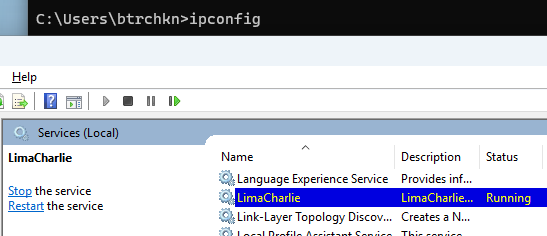 LimaCharlie agent running in the victim’s machine
Step 2: Simulating a Threat with LaZagne
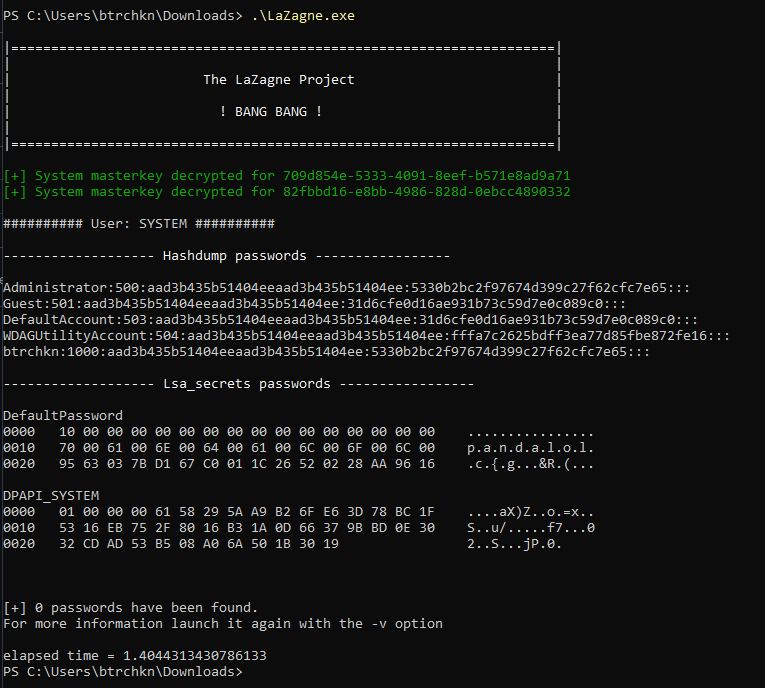
To test the system, I needed some malicious activity to detect. I downloaded LaZagne (version 2.4.7) from GitHub and ran it in PowerShell on the VM. The output confirmed it was working as expected, dumping credentials like a real-world attack might.
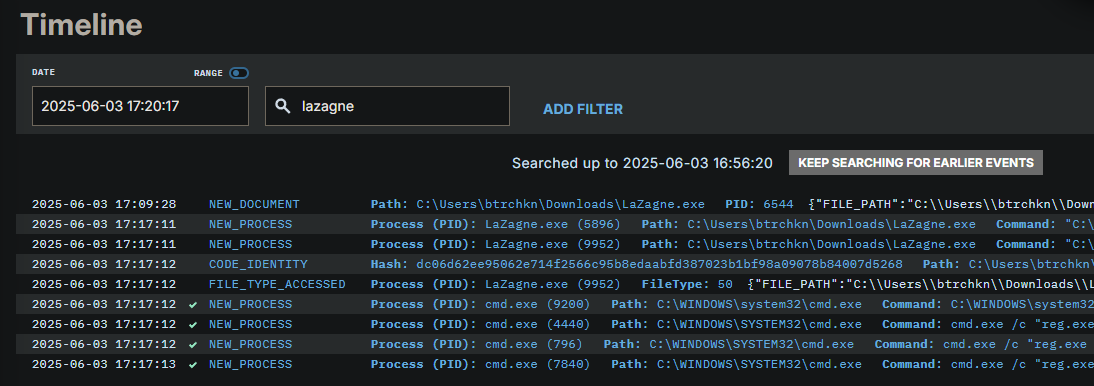
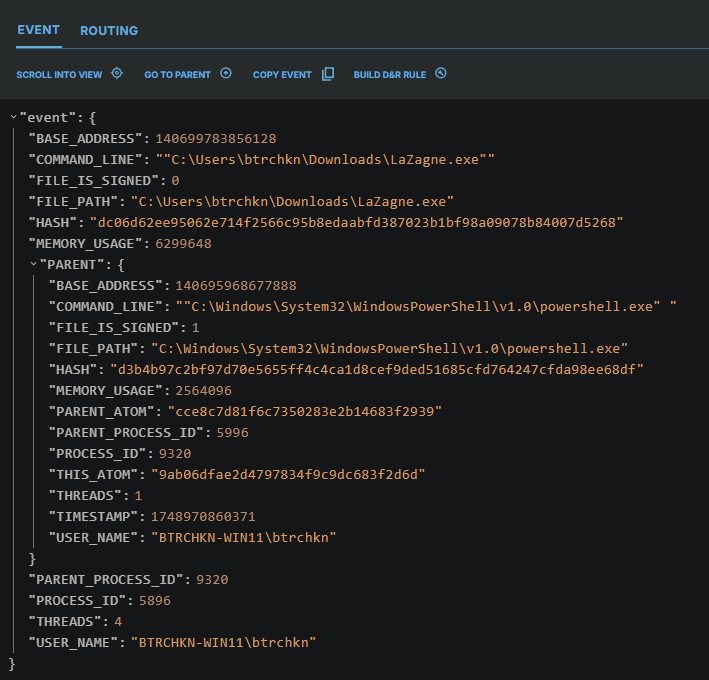
Sure enough, LimaCharlie caught it in the VM’s sensor timeline. Searching for “lazagne” revealed a bunch of events, with the NEW_PROCESS entry for lazagne.exe standing out, showing details like the file path and command line.
Step 3: Crafting Detection Rules in LimaCharlie
Now it was time to teach LimaCharlie to spot LaZagne automatically. In the dashboard, I navigated to Automation > D&R Rules and started a new rule. I drew inspiration from a Sigma rule for credential dumping but tailored it for LaZagne. The rule was set to trigger on NEW_PROCESS or EXISTING_PROCESS events on Windows, looking for:
- File paths ending in
lazagne.exe. - Command lines ending in
all, containinglazagne, or matching the LaZagne executable’s hash.
Here’s the detection rule I crafted:
1
2
3
4
5
6
7
8
9
10
11
12
13
14
15
16
17
18
19
20
21
22
23
24
events:
  - NEW_PROCESS
  - EXISTING_PROCESS
op: and
rules:
  - op: is windows
  - op: or
    rules:
      - case sensitive: false
        op: ends with
        path: event/FILE_PATH
        value: lazagne.exe
      - case sensitive: false
        op: ends with
        path: event/COMMAND_LINE
        value: all
      - case sensitive: false
        op: contains
        path: event/COMMAND_LINE
        value: lazagne
      - case sensitive: false
        op: is
        path: event/HASH
        value: dc06d62ee95062e714f2566c95b8edaabfd387023b1bf98a09078b84007d5268
For the response, I configured it to report the detection with clear metadata:
1
2
3
4
5
6
7
8
- action: report
  metadata:
    author: Achintya Singh Baghela
    description: Detects LaZagne (SOAR-EDR Project)
    level: medium
    tags:
      - attack.credential_access
  name: btrchkn - HackTool - SOAR_EDR
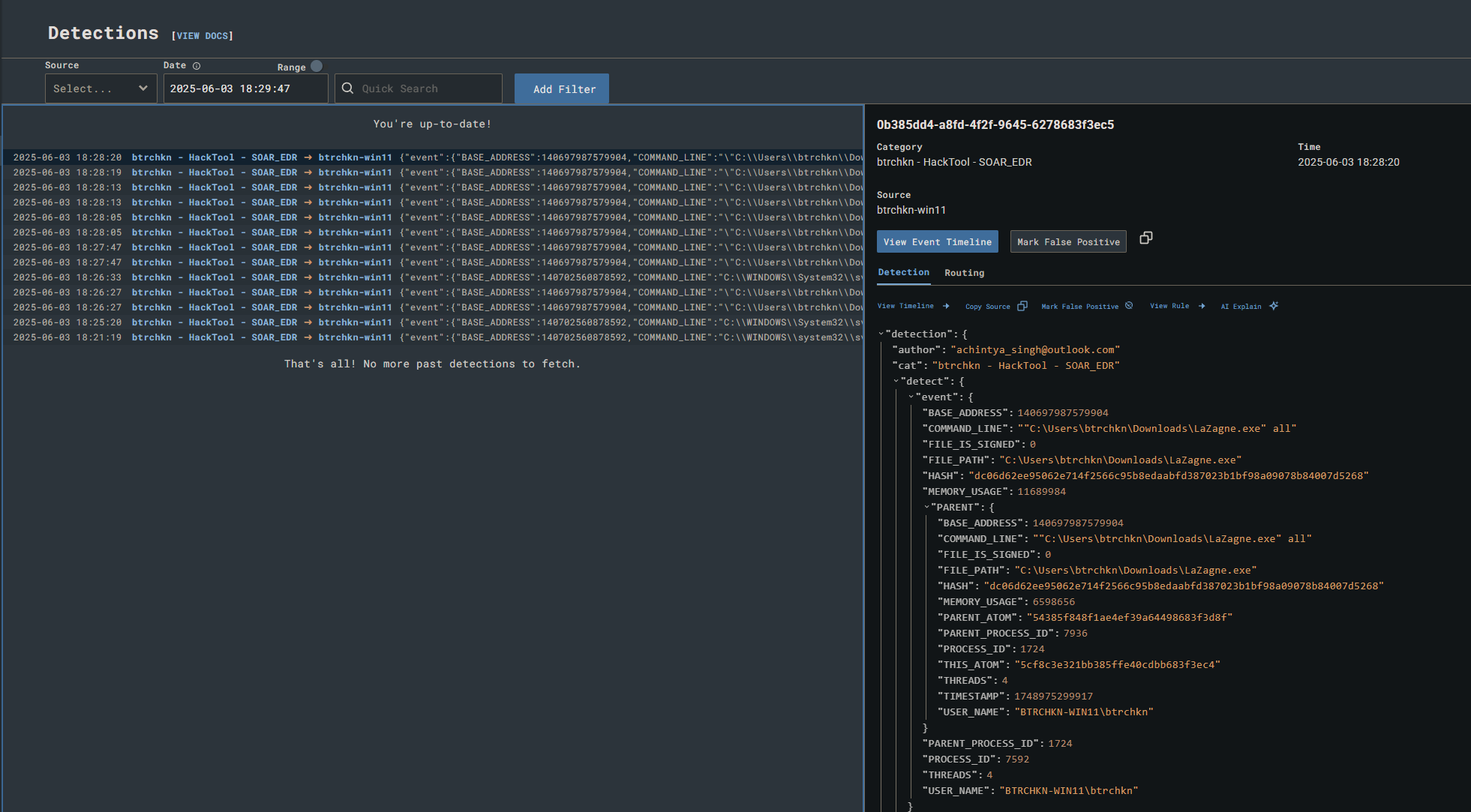
To test it, I ran lazagne.exe on the VM again and checked the detections tab in LimaCharlie. The alert popped up right on cue, confirming the rule was working perfectly.
Step 4: Connecting Tines and Slack
Next, I set up a free Slack workspace and created an alerts channel for notifications. I also signed up for a Tines account and created a webhook to receive detection data from LimaCharlie. In LimaCharlie, I configured an output stream to send detections to the Tines webhook. To verify the connection, I triggered lazagne.exe on the VM and saw the event appear in Tines’ webhook logs—smooth sailing so far! 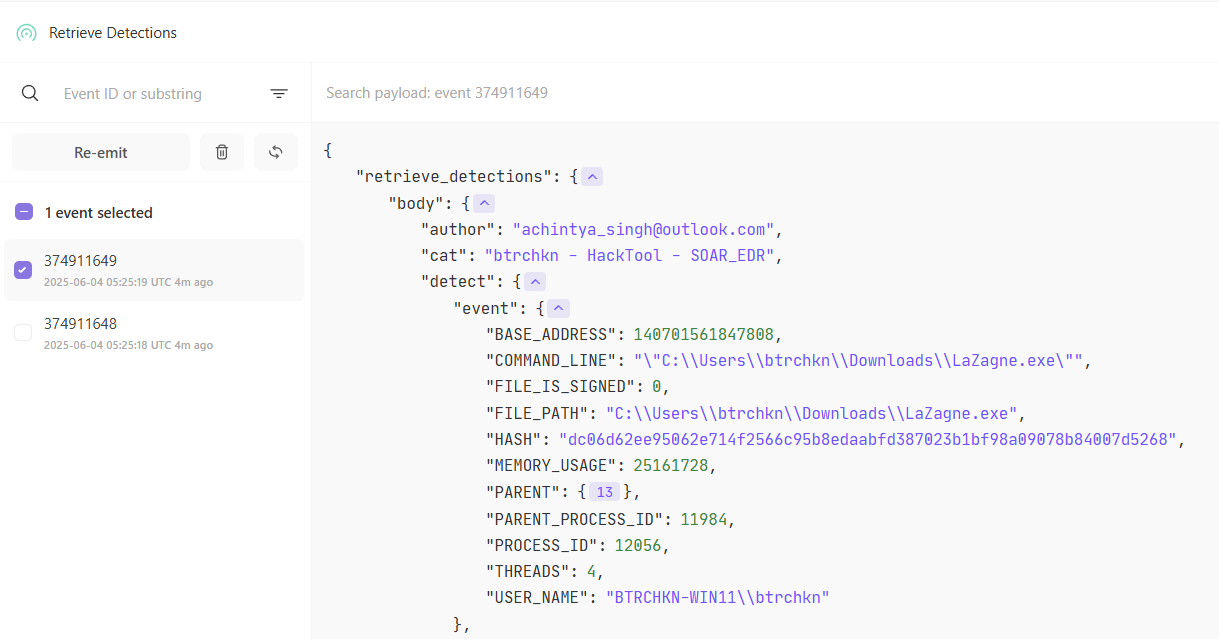 LimaCharlie-Tines webhook integration
To link Tines with Slack, I added the Tines app through the Tines tenant’s credential setup. In my Tines playbook (or “story”), I added a Slack action to send messages to the alerts channel, pulling data from the webhook. Testing it was exciting—I ran the Slack action, selected a webhook event, and saw a “Hello, world!” message pop up in Slack.
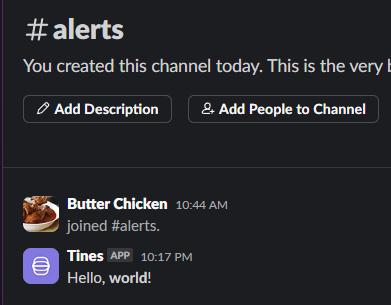 Test output in Slack channel from Tines
Step 5: Building the Tines Playbook
Now came the fun part: creating the automation workflow in Tines. The playbook needed to:
- Send Slack messages and emails with detection details.
- Prompt the user to isolate the machine (Yes/No).
- Isolate the machine via LimaCharlie if the user selected Yes.
I started by defining the key fields to include in notifications:
1
2
3
4
5
6
7
8
9
Title: <<retrieve_detections.body.cat>>
Time (EPOCH): <<retrieve_detections.body.detect.routing.event_time>>
Computer name: <<retrieve_detections.body.detect.routing.hostname>>
Source IP Address: <<retrieve_detections.body.detect.routing.int_ip>>
Username: <<retrieve_detections.body.detect.event.USER_NAME>>
File Path: <<retrieve_detections.body.detect.event.FILE_PATH>>
Command Line: <<retrieve_detections.body.detect.event.COMMAND_LINE>>
Sensor ID: <<retrieve_detections.body.detect.routing.sid>>
Detection Link: <<retrieve_detections.body.link>>
I set up Slack and email actions in Tines to include these fields. For email, I configured it to send to my address, and testing showed messages arriving in both Slack and my inbox with all the details.
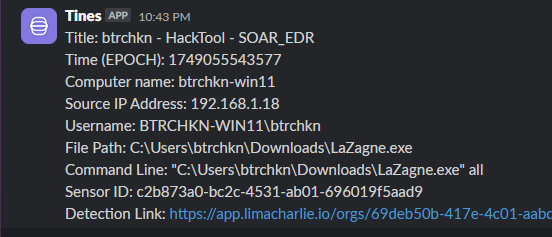 Slack message with detection message details
 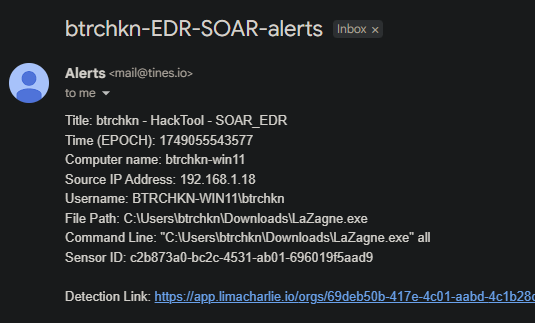 Email with detection message and details
For the user prompt, I added a Tools > Page > Blank Page action in Tines with Yes/No buttons. If the user clicked No, a Trigger action sent a Slack message: “The computer
For the Yes option, I needed to isolate the machine. The key was the sensor ID, which identified the LimaCharlie agent on the VM. I added a LimaCharlie action in Tines, using the isolate-sensor action to block network access for the specified sensor. To make this work, I authenticated Tines with LimaCharlie using a JWT from LimaCharlie’s REST API settings (found at Home > Access Management > REST API > Org JWT). One hiccup: new actions sometimes returned null values until I re-ran the playbook to sync everything.
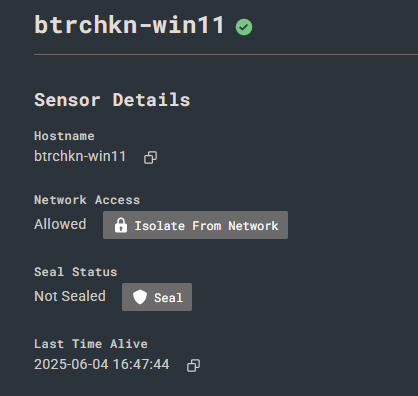 LimaCharlie dashboard showing victim’s machine not isolated
Testing the full flow was the moment of truth:
- I re-emitted a webhook event to trigger the playbook.
- Slack and email notifications arrived with all the details.
- I visited the user prompt page and clicked Yes.
- Checking the LimaCharlie dashboard, I confirmed the VM’s network access was set to “Isolated.”
- I tried pinging from the VM—nothing got through, proving it was locked down.
- Slack sent a confirmation: “The computer
has been isolated.”
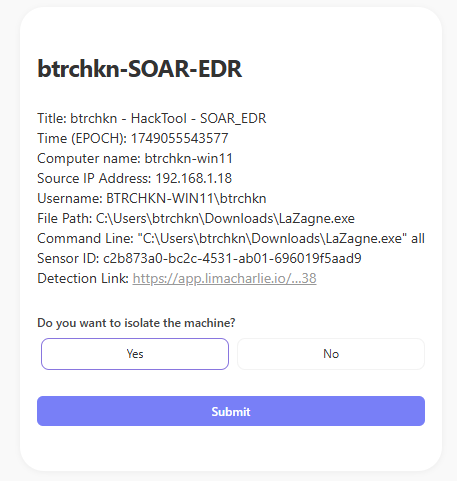 Isolate-machine prompt with detection details
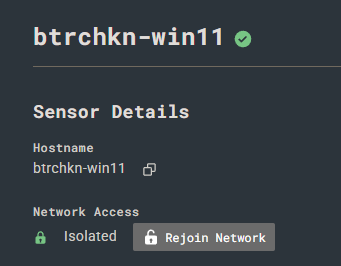 LimaCharlie dashboard showing victim’s machine isolated
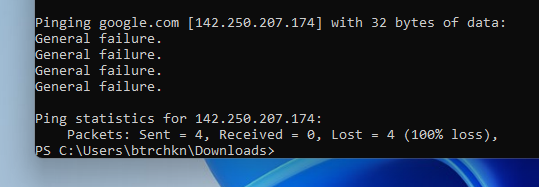 Unable to ping from victim’s machine. Machine successfully isolated from network
 Slack Notification from Tines after isolation
Results
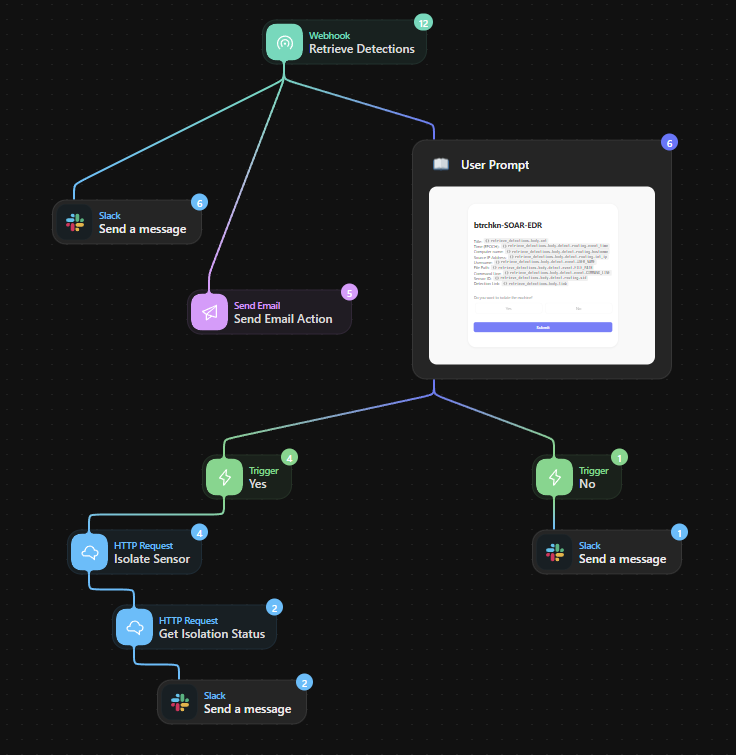
The system worked like a dream! LimaCharlie caught LaZagne in action and sent the data to Tines. Tines fired off detailed alerts to Slack and email, and the user prompt made it easy to decide on isolation. When I chose Yes, LimaCharlie locked down the VM, and Slack kept me updated. The workflow was smooth, automated, and saved a ton of manual effort.
Visual Workflow
Here’s a diagram of how it all comes together:
Challenges and Lessons Learned
- Challenge: New actions in Tines sometimes returned null values until I re-ran the playbook to integrate them properly.
- Lesson: Authenticating Tines with LimaCharlie’s JWT was critical for enabling actions like machine isolation.
- Takeaway: Combining EDR and SOAR creates a powerful, scalable way to handle threats, making security operations faster and more efficient.
Conclusion
This project was an exciting dive into the world of SOAR and EDR. By integrating LimaCharlie and Tines, I built a system that detects threats, sends alerts, and takes action with minimal fuss. It’s shown me the power of automation in cybersecurity and sparked my curiosity to explore more.